Lab results
Lab results without retyping.
For clinics that receive lab results as PDFs, photos or printouts. Upload the document, VetVero reads the values with AI, and a person checks the values and confirms them before anything is filed; a value the check flags is handled one by one. It is part of the base product; no AI seat is needed.
The reading has limits: 40 reads during a trial and 2,000 reads each calendar month once you subscribe. A document takes one or two reads.

Upload the lab's PDF or a photo
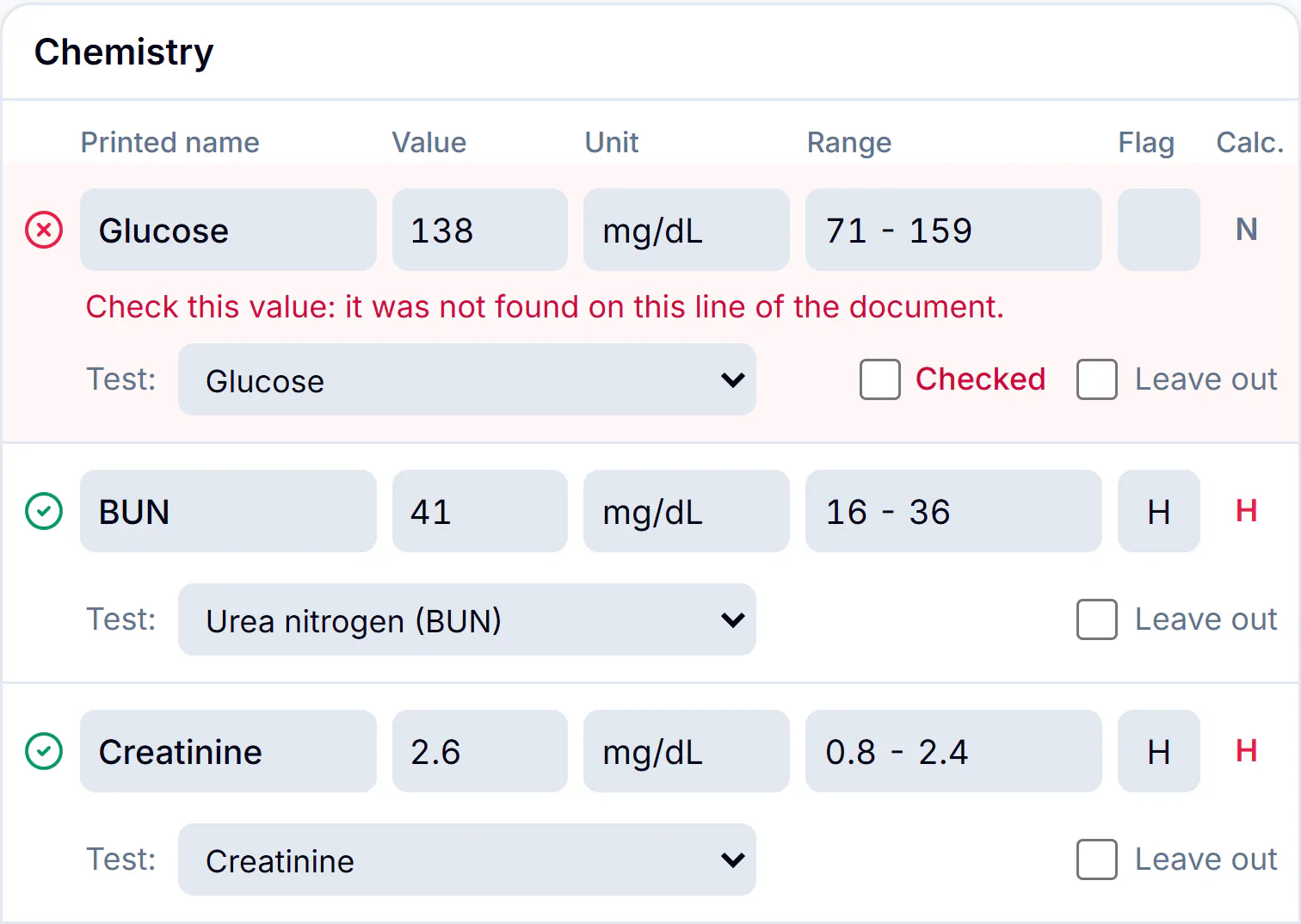
A PDF from the reference lab or a phone photo of a printout. VetVero reads the document and lists each value with its unit, range and flag, beside the page it came from.
- One document can hold several patients: each gets its own result.
- Every value marked red is confirmed one by one; amber values are shown for you to read.
- A value the reading cannot find on the document is flagged in red, and nothing is filed until a person has checked it or left it out.
- The original document stays attached to the result.
Results over time, as a trend
Each value is filed with its test and unit, so you can see one value move across visits and compare reports side by side.
- Each result keeps its own reference range.
- Show values as received, in US units or in SI units.
- Reference intervals you set are used for a value typed against a catalog test when it has no printed range.

Reports side by side, with Compare
Compare sets a patient's reports next to each other: one column for each report, one row for each test, so a change is read straight across.
- A test reported in another unit gets a row of its own.
- Show only the flagged rows when you want the short list.

US or SI units
Show values as the lab reported them, in US units or in SI units. The conversion is for the screen: the record keeps what was received.
- A converted value says what it was converted from.
- The range converts with its value; a flag never changes.
- A value that cannot be converted stays as reported, and says so.


A correction never overwrites
When the lab sends a corrected report, it is filed as the next version of the result it corrects. You pick that result on the review screen.
The next version
The correction takes the next version number of the result it corrects.
The earlier version is kept
Nothing is overwritten: the result as first filed stays in the record.
The document comes with it
The corrected document is attached to the new version, as the first one's was to the first.
Common questions
Does reading a document need VetVero AI?
No. Reading lab documents is part of the base product. An AI seat is only for drafting visit notes.
Does it replace checking the results?
No. A person checks the values and confirms them before anything is filed, and a value the check flags is handled one by one. Nothing reaches the record until then.
Do I need to set anything up with my lab?
No. You upload the document the lab sends you, or a photo of the printout.
Can one document hold several patients?
Yes. Each patient on the document gets their own result.
What happens when the lab corrects a report?
The corrected report is filed as the next version of the result it corrects, which you pick. The earlier version is kept.

Run your clinic on one calm, careful system.
Start your 14-day free trial today, or let us walk you through it first.
No credit card required · Cancel anytime