The front desk
Calendar, booking, reminders and invoices in one place.
For the people who run the clinic's day: receptionists, practice managers and everyone who answers the phone. VetVero holds the calendar, the online booking widget, the whiteboard, the reminders, the estimates and the invoices.
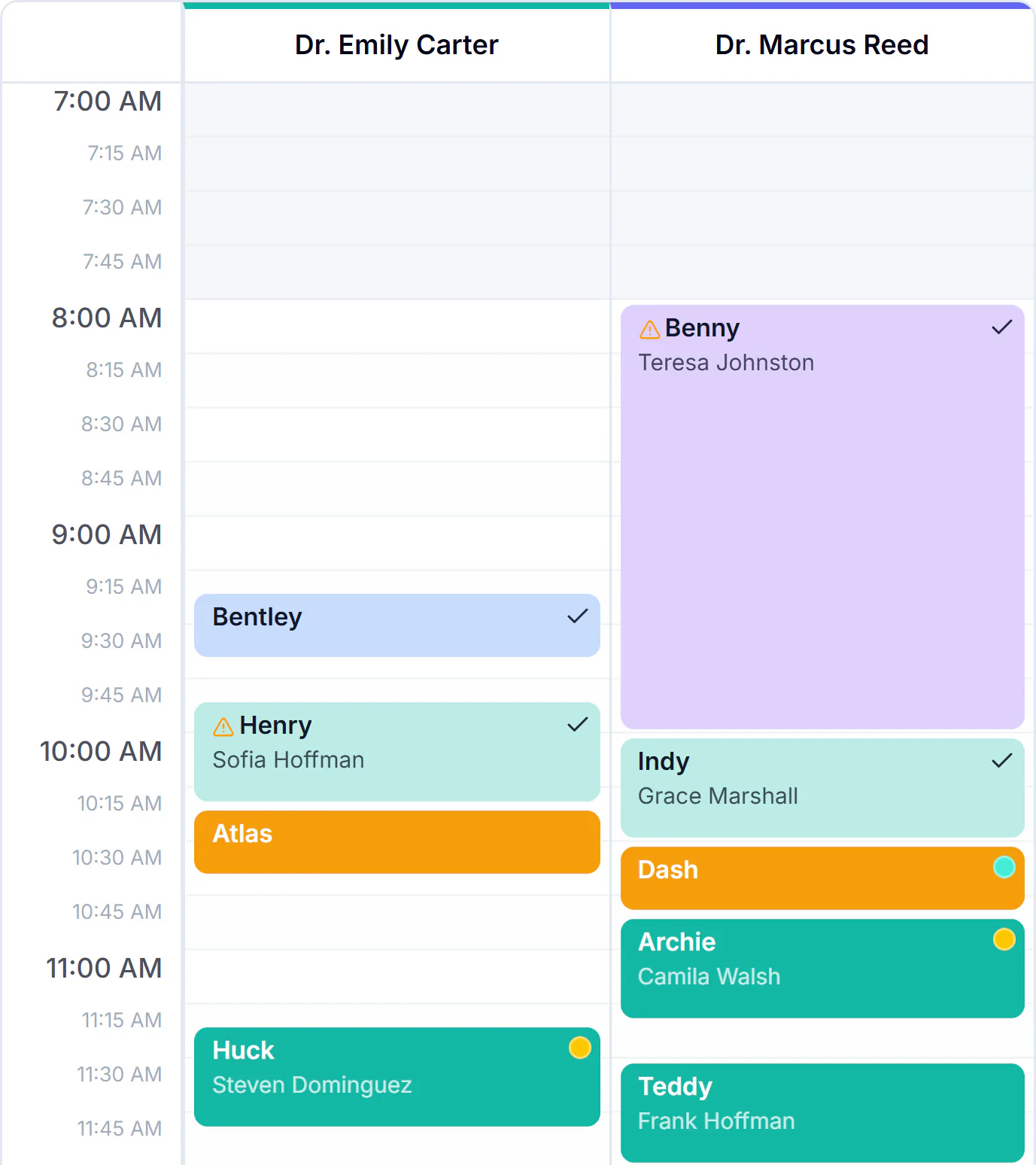

The calendar and the whiteboard
Book, move and check in appointments on the calendar. The whiteboard shows who is waiting, who is with the doctor and who is ready for checkout.


Online booking for pet owners
Share one link. Pet owners choose the visit and the time on their own phone, and it lands on your calendar.


Booking requests, decided at the desk
With auto-confirm off, an online booking arrives as a request. The desk decides each one, and a client who left an email address is emailed the decision.
Confirm
The request becomes a confirmed appointment on the calendar.
Another time
Move the request to a time that works, and it is confirmed.
Decline
Choose a reason, or write your own. The client reads it in the email.
Reminders that go out on their own
Appointment, vaccine and follow-up reminders go by email from the first day. Appointment and vaccine reminders also go by text once your clinic's own number is registered.
Appointments
A reminder before the visit, by email, and by text once your number is registered.
Vaccines
A reminder when a vaccine is coming due.
Follow-ups
An email before a follow-up is due, on the day you set; left out once the visit is booked.
Unsubscribed means left out
A client who has unsubscribed is not sent a reminder.


Estimates and invoices
Send an estimate the client signs from home. Bill the visit with each tax by name and by line, issue credit notes and keep account credit, and give the client their payment record.
- VetVero records payments. It does not process the client's card.


A payment entered by mistake is reversed
A payment is never edited or deleted. When one was recorded in error, it is reversed with a reason, and the invoice shows both.
Who can reverse
Owners, admins and anyone allowed to issue credit notes and refunds.
Nothing erased
The payment stays on the invoice, struck through, with who reversed it and why.
The balance goes back up
The invoice total stays. What the client owes rises by the payment.
The end of day, drawer by drawer
Each person counts their own drawer against what VetVero recorded that day. Owners and admins see the whole clinic, or one person at a time.
Your own drawer
The payments you took and the refunds you gave, by method.
A difference needs a note
When the count is short or over, say why before you mark the day reconciled.
Kept as counted
A reconciliation is never edited. Reconcile again and the earlier one stays listed.
Every client contact on one timeline
Log a call from the client's page or the patient's. It sits on one timeline with every reminder, invoice, consent form and record the clinic has sent.
- An entry is never edited: a correction is a new entry that names the first.
- Appointment confirmations are on the timeline too.
- Anyone on the team can log a call.


Duplicate clients, merged into one
When the same person was added twice, an owner or admin merges the two records, with a reason. The record you keep lists the history of both.
What moves
The pets, draft invoices, open estimates and account credit go to the record you keep.
What stays as written
Issued invoices, payments and signed consents are never rewritten.
It cannot be undone
The other record is closed for good. Its old link opens the record you kept.
Time off, without lost appointments
When a veterinarian's time off covers appointments already booked, VetVero lists each one, to move or to cancel.
Each one listed
Every booked appointment the time off covers is shown before you go on.
Move or cancel
Open an appointment to move it, or cancel it from the list.
Nothing by itself
No appointment is moved or cancelled on its own.
Common questions
Can my clients pay through VetVero?
VetVero records the payments your clinic takes. It does not process the client's card.
When do text reminders start?
Email reminders work from the first day. Appointment and vaccine reminders also go by text once your clinic's own number is registered.
Can a client sign an estimate from home?
Yes. You send a link, and the client reads and signs the estimate on their own device.
Do pet owners need an account to book?
No. They use your clinic's booking link.
What if a payment was entered by mistake?
An owner, an admin or anyone allowed to issue credits reverses it, with a reason. The payment stays on the invoice, struck through, and the balance goes back up. Then record the right payment.
Can we merge duplicate clients?
Yes. An owner or admin merges the two records. The pets and open work move to the record you keep, and issued invoices stay as written. A merge cannot be undone.

Run your clinic on one calm, careful system.
Start your 14-day free trial today, or let us walk you through it first.
No credit card required · Cancel anytime